

Expand Your Dropshipping Business
🚀 Why Sell on Marketplaces Like Amazon & eBay?
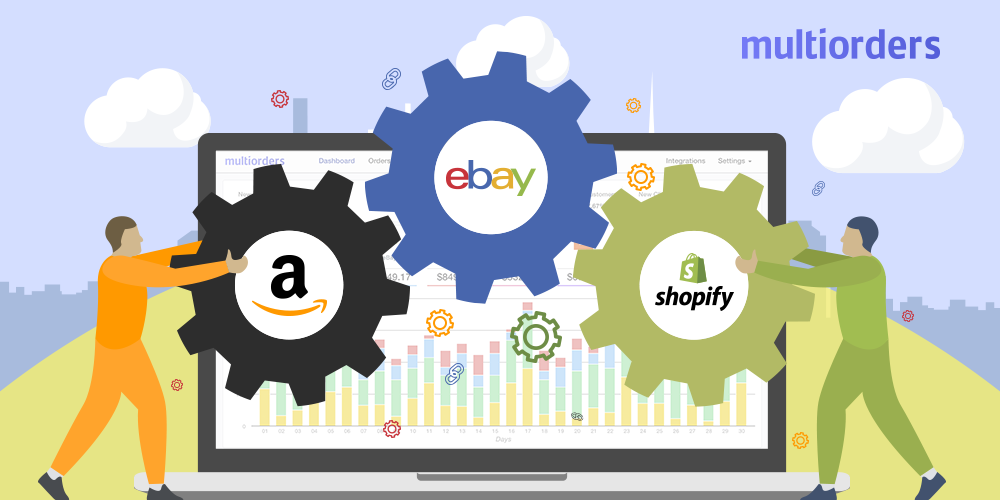
Selling only through your Shopify store limits your reach to the traffic you can generate yourself. But integrating with platforms like Amazon and eBay opens access to millions of active buyers — many of whom are already searching for products like yours.
Benefits of Marketplace Integration:
- 🔥 Instant exposure to new customers
- ✅ High trust factor (especially for new stores)
- 📈 Extra revenue channel
- 🔄 Sync inventory and orders automatically
- 🌍 Expand to different countries via Amazon Europe, eBay Global Shipping
🔌 Step 1: Choose an Integration App (Shopify App Store)
Use one of these trusted apps to manage marketplace sync:
| App | Platform | Features |
|---|---|---|
| Amazon by Codisto (Shopify Marketplace Connect) | Amazon | Real-time sync, bulk listings |
| eBay by Codisto | eBay | Order sync, price automation |
| CedCommerce | Amazon & eBay | Region-based sync, fulfillment mapping |
| LitCommerce | Multichannel | Syncs Shopify with Amazon, eBay, Etsy, etc. |
💡 Shopify Marketplace Connect (formerly Codisto) is officially recommended and works natively within your Shopify dashboard.
🧩 Step 2: Set Up Your Amazon or eBay Seller Account
For Amazon:
- Go to sellercentral.amazon.com
- Choose Individual (per-sale fee) or Professional account
- Submit business info, tax ID/VAT (especially for EU)
For eBay:
- Sign up at ebay.com
- Create eBay Seller Account
- Connect to Payoneer/PayPal for payouts
- Verify your identity and location
📌 Important: Use your business name and domain-based email for marketplace compliance and professionalism.
🛠 Step 3: Connect Shopify to Amazon/eBay
After installing the app (e.g., Shopify Marketplace Connect):
- Authorize your Amazon/eBay account
- Map your Shopify products to marketplace listings
- Set:
- Titles & descriptions
- Prices (can differ from Shopify)
- Product categories and SKUs
✅ Inventory, pricing, and order status are synced in real-time.
⚙️ Step 4: Configure Order & Fulfillment Workflow
Dropshipping Considerations:
- You are allowed to dropship on Amazon/eBay as long as you are the seller of record and packages do not show AliExpress branding.
- Avoid long shipping times — choose DSers suppliers with local (US/EU) warehouses.
📦 Pro Tip: Use CJdropshipping or Spocket to fulfill orders on marketplaces with better shipping SLAs.
Configure Order Routing:
- Choose whether marketplace orders are fulfilled by Shopify or directly through DSers/CJ
- Enable tracking sync for customer transparency
🌍 Step 5: Set Up Marketplace Regions (EU & US)
Amazon:
- Use Amazon Europe unified account to sell in UK, DE, FR, IT, ES
- Set VAT info for each region (use Shopify VAT apps like Quaderno)
eBay:
- Enable Global Shipping Program (GSP) to ship worldwide
- Set pricing per region if needed
💡 Localizing your listings (language, pricing, shipping) improves conversion rates across regions.
🔐 Step 6: Stay Compliant with Marketplace Policies
| Platform | Key Rules |
|---|---|
| Amazon | No AliExpress packaging or Chinese invoices. Use branded or neutral dropshipping. |
| eBay | Must provide accurate shipping times. Handle returns professionally. |
| Both | Include clear refund policy, use trackable shipping, respond to messages fast. |
❗ Failure to comply may result in account suspension — choose reliable suppliers and fulfill on time.
🧰 Helpful Tools for Marketplace Expansion
| Tool | Use |
|---|---|
| Shopify Marketplace Connect | Sync Amazon/eBay |
| AutoDS | Multichannel order automation |
| Translate & Adapt (Shopify app) | Localize listings |
| CJdropshipping US/EU Warehouse Filter | Speed up shipping |
✅ Marketplace Integration Checklist
- Seller accounts created and verified on Amazon/eBay
- Integration app installed (Codisto / CedCommerce / LitCommerce)
- Listings created with optimized titles, images, and descriptions
- Pricing and shipping configured by region
- Inventory synced and fulfillment process tested
- VAT and policies in place for EU marketplaces
🎯 You’re now set up to reach millions of new buyers beyond your store.
Need help ? Contact Us info@salpersfirst.ch or visit salpersfirst.ch
🔮 Coming Next: Social Media Setup & Digital Marketing Foundations
You’ve launched your store, added products, and expanded to marketplaces — now it’s time to bring in traffic and sales.
In Blog 9, we’ll cover:
- Setting up Instagram, Facebook, and TikTok for Business
- Branding your profiles
- Planning your first content strategy
- Setting up Meta Pixel for retargeting
- Launching your first ads
📩 Subscribe or follow us on [Instagram] & [Facebook] so you’re ready when we go live with Blog 9!









Leave a Reply
You must be logged in to post a comment.